
When Chrome version 21 was in beta, many had to use a work around to download their favorite extensions [1]. Those unaware of the work around had to wait and hope those extensions would soon be added to the web store. Users of the MWAddOn can now find the latest version in the Chrome Web Store. The page can be found here.
The Addon Family thanks Martin Hedman from Team Spockholm for helping them add the MWAddOn Client to the Chrome Webstore.
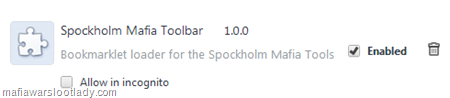
If you already have the Spockholm Mafia Toolbar installed, there is no need to do anything at this time. If you lose the toolbar from your extension list and need to reinstall it, want to install it for the first time or add it to another computer in Chrome, follow the steps below. If you want to remove the your current version and add the toolbar, follow the steps below.
1.Go to you Extensions Page in Chrome. To do this, click on the wrench icon in the upper right corner of your screen, select “Tools” and then “Extensions”
Click Here To Download MW ADDON

2. Click on the trash can icon to remove or uncheck the “Enabled” box to disable.
To add the Spockholm Mafia Toolbar from the Chrome Web Store, follow the steps below.
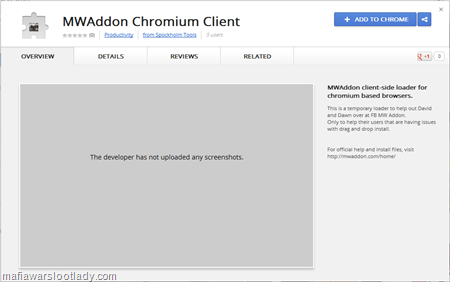
1.Go to the Spockholm Mafia Toolbar Chrome Web Store Page by using the link below or clicking on the image.
Click Here For Download Spock Holm

2. Click on the blue “+ADD TO CHROME” button.

3. Confirm the new extension by clicking the “Add” button.

4. Look for a verification popup in the upper right corner of your screen.
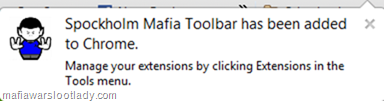
5. To manage this extension, follow the steps in the first set of instructions. It’s the same toolbar as you’ve always had but there is a little cute Spockholm icon now.

If your version of Chrome doesn’t prompt you to add extensions from the Chrome Store than the same link you’ve always used to install the toolbar will work. For more information on installing the Spockholm Mafia Toolbar, go to this Spockholm Mafia Forum Thread.
No comments:
Post a Comment
Comments are moderated and will not be published until they are reviewed. Please dont use bad language or insult others. For faster feedback on questions, visit our fan page.