
Team Spockholm keeps pushing out new toys for us to play with. Their latest is called the Beg-o-Meter and it’s designed to help you manage the Limited Time Property upgrade process. Players who don’t ignore these care about two things…how many parts they need to get and how much time they have to do it. We were given 16 days to get 471 parts to upgrade the VFX Lab. It’s often a pain to check the number of parts you have, look at the timer then calculate how much time it will take at your current pace. None of us want to get into alarm clock setting mode! This is especially difficult for players who don’t even know how many parts they need as Zynga doesn’t supply that information (it’s always up to the community to figure it out). If you want Team Spockholm to help you easily manage your upgrading, follow the instructions below.

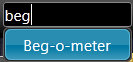
1. Type any part of Beg-o-Meter into the seach of the Spockholm Mafia Toolbar and click on it. If Beg-o-Meter does not appear, click on the wrench icon located to the far right of the toolbar to open up the Configuration Page, click on the “Force reload Spocklets” and reload your game.
2. The Beg-o-Meter will now appear on the page. If you don’t see it, scroll down a little. There is all kinds of information to review. The Beg-o-Meter displays how many parts you already collected, how many you need to get to Level 15, a progress meter, a time meter, a break down of the maximum parts you can still get with or without scanning the feeds for bragging posts on a 8 hour and 12 hour schedule. It also tells you the maximum number of parts you could have if you begged and collected every 8 hours and calculates the percentage of parts from the maximum you have. The last line of the Beg-o-Meter is Team Spockholms prognosis of your success. At my current rate I will make it.

If you ignore Limited Time Properties, you will get the hard truth and probably won’t care.

1. Type any part of Beg-o-Meter into the seach of the Spockholm Mafia Toolbar and click on it. If Beg-o-Meter does not appear, click on the wrench icon located to the far right of the toolbar to open up the Configuration Page, click on the “Force reload Spocklets” and reload your game.
2. The Beg-o-Meter will now appear on the page. If you don’t see it, scroll down a little. There is all kinds of information to review. The Beg-o-Meter displays how many parts you already collected, how many you need to get to Level 15, a progress meter, a time meter, a break down of the maximum parts you can still get with or without scanning the feeds for bragging posts on a 8 hour and 12 hour schedule. It also tells you the maximum number of parts you could have if you begged and collected every 8 hours and calculates the percentage of parts from the maximum you have. The last line of the Beg-o-Meter is Team Spockholms prognosis of your success. At my current rate I will make it.
If you ignore Limited Time Properties, you will get the hard truth and probably won’t care.
No comments:
Post a Comment
Comments are moderated and will not be published until they are reviewed. Please dont use bad language or insult others. For faster feedback on questions, visit our fan page.