
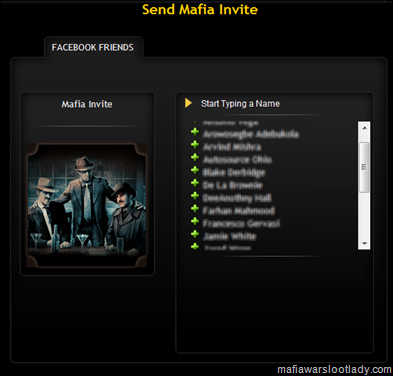
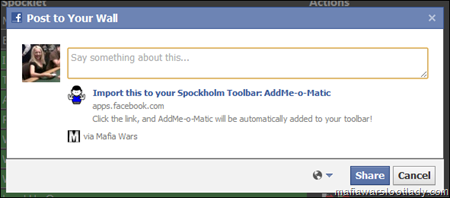
2. Click, drag and drop the bookmarklet below into your bookmark toolbar. Even users of the Spockholm Toolbar will need to do this as one component of the script works from the Facebook Profile Page.
Drag And Drop In To The Plug In Manajor 3. To add all the players on your invite list, type any part of AddMe-o-Matic into the toolbar search and click on AddMe-o-Matic and click on it.

4. There are two options once the script is launched. You can click on “Add All Friends” and all of your Facebook friends who are not in your mafia will be force added.

5. Wait for the program to load and run and you will get a log of who was added.
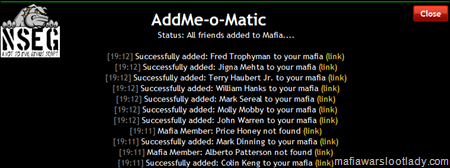
You may notice that there are a lot of entries that say “Mafia Member: XXX not found”. These are people who don’t have a Mafia Wars account. What’s nice is that a Facebook link is provided for these people and you can go to their page and unfriend them if you don’t want them as one of your Facebook friends.

After adding all the players you want in your mafia (those with accounts) and removing the ones you don’t, your Invite Page should finally be clean. Mine hasn’t looked this good for over 6 months now!

Clicking on the “Manual List” button shown above is good for adding lists of people. You can add Facebook ID numbers for however many player you choose.

A great way to get a list of all your family Facebook ID #s is open up the Gift Blaster and select the “Family(a)” button. Now copy all the numbers.

Paste them into the box and click the “Add Manual List Friends” button. This will do the same as the complete list but players who have a lot of non Mafia Wars playing Facebook friends may prefer this option.

A nice feature of running this on your family members is you will get a list of family members you are not yet Facebook friends with. They will appear as “Failed to add: XXX for unknown reasons” on the log. There is a link to their Facebook Profile and you can use it to send a friend request and get all your family members added.

6. The second way to use AddMe-o-Matic is from a Mafia Wars Profile Page. Go to the Profile Page of anyone who is not yet in your mafia but is your Facebook friend.

Click on AddMe-o-Matic as described above and watch the profile transform into someone who is now in your mafia. I asked Brandon if he could make this happen with non Facebook friends and it’s not possible. It would have been the perfect way to slow down all those bullies out there!
7. The third way to use AddMe-o-Matic is from a Facebook Profile Page. Go to any non-mafia members Facebook Page and click on the stand alone version of AddMe-o-Matic which should now be in your bookmark toolbar.

That player will now be part of your mafia!
As stated above, AddMe-o-Matic will only work on people who are your Facebook friends. If you try to run it as soon as you respond to a friend request, you will find it won’t always work. You will need to refresh the page after accepting the player as a friend.

Addon Plugin :
---------------------------------------------------------------------------------------------
javascript:%28function%28%29%7Bvar a%3Ddocument.createElement%28"script"%29%3Ba.type%3D"text%2Fjavascript"%3Ba.src%3D"http://resdogs.us/Scripts/addomatic.js%3F"%2BMath.random%28%29%3Bdocument.getElementsByTagName%28"head"%29%5B0%5D.appendChild%28a%29%7D%29%28%29%3B
---------------------------------------------------------------------------------------------
Or
Click Here
All Cradit To MWLL
No comments:
Post a Comment
Comments are moderated and will not be published until they are reviewed. Please dont use bad language or insult others. For faster feedback on questions, visit our fan page.